
HPUMC6.10.14 - App Store
You'll be able to see results in few seconds.
Publisher Description

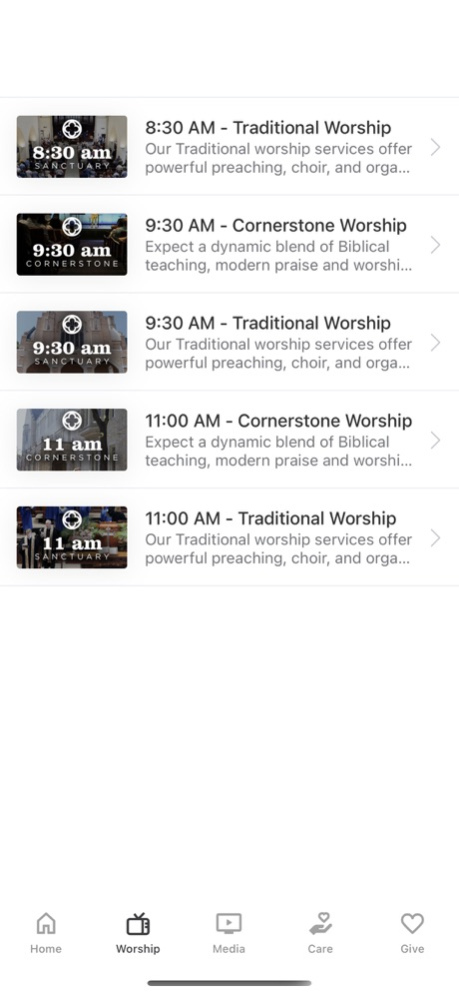
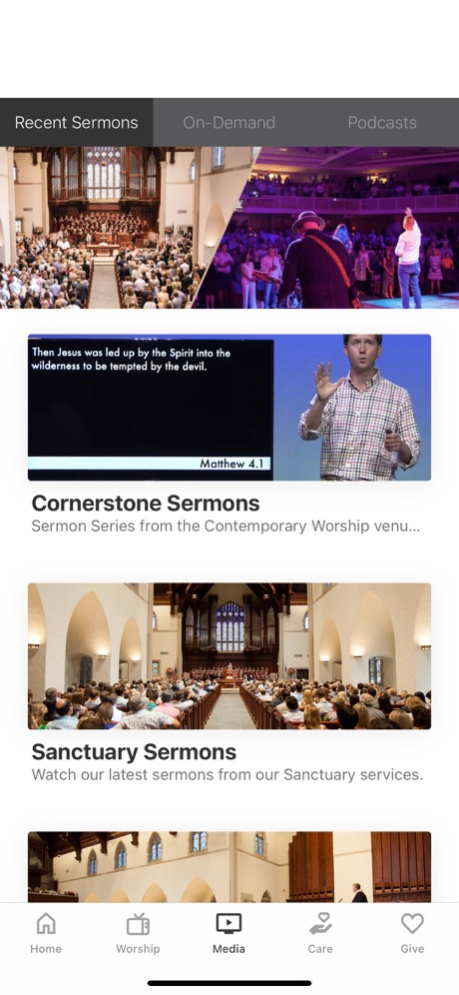
Check out all kinds of inspirational sermons, stories, reading plans, and more!
For more information about Highland Park United Methodist Church, please visit:
http://www.hpumc.org
The HPUMC App was created with the Subsplash App Platform.
Version History Misc media improvements 6.10.14 06/12/2024 Misc media improvements 6.10.3 05/10/2024 Misc media improvements 6.8.5 03/25/2024 - Bug fixes and performance improvements
- Media improvements 6.1.7 03/09/2023 - Continue playing where you left off on videos and other media
- Easier access to your account
- Easier access to Notes, Downloads, and more
- Bug fixes and performance improvements 6.0.1 12/19/2022 - Search and filter Groups through an improved "Discover" page found in Messaging
- Misc. bug fixes and improvements 5.20.4 08/02/2022 Misc. bug fixes and improvements. 5.19.0 05/25/2022 Misc. bug fixes and improvements. 5.17.1 12/16/2021 - Added support for iOS 15
- If enabled, Subsplash Messaging notifications now displays the sender’s avatar on iOS 15+
- Misc. bug fixes and improvements 5.16.0 10/19/2021 - New Media Search Experience with support for Speakers, Topics, and Scripture tags
- New Related media section on Media Items shows other media tagged with the same Topics
- Enhanced user profile with additional field and a direct integration to our CMS for Messaging Customers
- Misc. bug fixes and improvements. 5.15.0 08/02/2021 - We've consolidated Listen and Watch into a single Play button on the media player. Users can still switch between listening and watching modes.
- If enabled, Messaging now features an option to silence all notifications for a predetermined period of time.
- You can now start Picture-in-picture playback in the player to watch video and browse the app at the same time.
- Misc. bug fixes and improvements. 5.14.4 06/27/2021 - We've consolidated Listen and Watch into a single Play button on the media player. Users can still switch between listening and watching modes.
- If enabled, Messaging now features an option to silence all notifications for a predetermined period of time.
- You can now start Picture-in-picture playback in the player to watch video and browse the app at the same time.
- Misc. bug fixes and improvements. 5.14.0 06/21/2021 - If enabled, audio for the Bible reading plan has been improved.
- If enabled, Messaging channels now include a "Threads" tab to show all active discussions, and the user interface has been refreshed.
- Misc. bug fixes and improvements. 5.13.0 05/03/2021 - If enabled, Messaging now includes threaded conversations and sharing Bible passages! Also, you can now easily see which messages have not been read since you last opened a conversation.
- The Account screen has been updated with several improvements.
- Misc. bug fixes and improvements. 5.12.0 03/16/2021 New in Messaging (if enabled):
- Subsplash Messaging users can now add profile photos.
Improved:
- Added support for iOS 14. 5.8.0 11/03/2020 New in Messaging (if enabled):
- You can send files to one another
- You can mention someone using an @ symbol to notify them directly.
- Channel managers can restrict channel invites to managers
- Managers can also set artwork and descriptions for a group channel
- Administers can set channels to be public for anyone to join
Fixed:
- Fixed issue where media playback automatically resumes when returning to the app
- Fixed a Messaging issue causing link previews to cause the channel to crash 5.6.0 08/03/2020 This release includes new features, bug fixes, and performance improvements.
New:
- You can now reorder your media downloads to listen in the order you want.
- Media search has been removed from the app header and is now in the left navigation menu.
Improved:
- Messaging now loads faster!
- Better support for Subsplash Live.
Fixed:
- Fixed several issues where push notifications were not opening Messaging correctly.
- Fixed issue where messages were appearing in the wrong channel. 5.4.0 05/01/2020 Introducing Subsplash Messaging! Communicate and coordinate small groups, service teams, committees, and more.
If enabled by your app administrator, Subsplash Messaging can be found in the app menu. 5.0.1 10/23/2019 - Fix to improve push notification reliability 4.12.6.0 06/12/2019 - Fix to improve push notification reliability 4.12.6 04/03/2019 - Improved push notification reliability
- App start up is 6 times faster on average
- Content, images & media will now load quicker
- New offline mode allows you to access much of your content even when an internet connection isn’t available
- Fixed an issue with the side menu loading reliably on first app launch 4.12.5 03/08/2019 * Looking for messages on a specific topic? Introducing media search!
* Optimized for iPhone X
* A new and improved experience for reconnecting if the app is offline
* Fresh new layout for the Inbox 4.9.4 03/07/2018 New in 4.8.1
- UI improvements
New in 4.7.0
Note-taking is here! Jot down your thoughts on-the-go, directly in the app. You can create a note via the app menu, or by tapping the “Take a Note” button on media in the app. Your notes will sync across devices, so you never have to worry about losing your notes when you get a new phone or tablet.
You can easily browse previous notes you’ve taken from the app menu, and you can also share your notes with a friend!
We hope you love the new note feature. Try it out today!
New in 4.6.0
- Playing audio and video is now a combined experience!
- Seamlessly switch between audio and video by tapping the action menu (3 vertical dots icon)
- Continue listening to a video while navigating through the app
- Quickly access downloads from the app menu
- Track the remaining time for your downloads 4.8.1 11/16/2017 New in 4.7.0
Note-taking is here! Jot down your thoughts on-the-go, directly in the app. You can create a note via the app menu, or by tapping the “Take a Note” button on media in the app. Your notes will sync across devices, so you never have to worry about losing your notes when you get a new phone or tablet.
You can easily browse previous notes you’ve taken from the app menu, and you can also share your notes with a friend!
We hope you love the new note feature. Try it out today!
New in 4.6.0
- Playing audio and video is now a combined experience!
- Seamlessly switch between audio and video by tapping the action menu (3 vertical dots icon)
- Continue listening to a video while navigating through the app
- Quickly access downloads from the app menu
- Track the remaining time for your downloads 4.7.0 09/26/2017 - Bug fixes 4.5.7 04/24/2017
About HPUMC
The company that develops HPUMC is Highland Park United Methodist Church. The latest version released by its developer is 6.10.14.
To install HPUMC on your iOS device, just click the green Continue To App button above to start the installation process. The app is listed on our website since 2026-10-14 and was downloaded 0 times. We have already checked if the download link is safe, however for your own protection we recommend that you scan the downloaded app with your antivirus. Your antivirus may detect the HPUMC as malware if the download link is broken.
How to install HPUMC on your iOS device:
- Click on the Continue To App button on our website. This will redirect you to the App Store.
- Once the HPUMC is shown in the iTunes listing of your iOS device, you can start its download and installation. Tap on the GET button to the right of the app to start downloading it.
- If you are not logged-in the iOS appstore app, you'll be prompted for your your Apple ID and/or password.
- After HPUMC is downloaded, you'll see an INSTALL button to the right. Tap on it to start the actual installation of the iOS app.
- Once installation is finished you can tap on the OPEN button to start it. Its icon will also be added to your device home screen.
Program Details
System requirements
Download information
Pricing
Version History
version 6.10.14
posted on 2026-10-14
Version History Misc media improvements 6.10.14 06/12/2024 Misc media improvements 6.10.3 05/10/2024 Misc media improvements 6.8.5 03/25/2024 - Bug fixes and performance improvements
- Media improvements 6.1.7 03/09/2023 - Continue playing where you left off on videos and other media
- Easier access to your account
- Easier access to Notes, Downloads, and more
- Bug fixes and performance improvements 6.0.1 12/19/2022 - Search and filter Groups through an improved "Discover" page found in Messaging
- Misc. bug fixes and improvements 5.20.4 08/02/2022 Misc. bug fixes and improvements. 5.19.0 05/25/2022 Misc. bug fixes and improvements. 5.17.1 12/16/2021 - Added support for iOS 15
- If enabled, Subsplash Messaging notifications now displays the sender’s avatar on iOS 15+
- Misc. bug fixes and improvements 5.16.0 10/19/2021 - New Media Search Experience with support for Speakers, Topics, and Scripture tags
- New Related media section on Media Items shows other media tagged with the same Topics
- Enhanced user profile with additional field and a direct integration to our CMS for Messaging Customers
- Misc. bug fixes and improvements. 5.15.0 08/02/2021 - We've consolidated Listen and Watch into a single Play button on the media player. Users can still switch between listening and watching modes.
- If enabled, Messaging now features an option to silence all notifications for a predetermined period of time.
- You can now start Picture-in-picture playback in the player to watch video and browse the app at the same time.
- Misc. bug fixes and improvements. 5.14.4 06/27/2021 - We've consolidated Listen and Watch into a single Play button on the media player. Users can still switch between listening and watching modes.
- If enabled, Messaging now features an option to silence all notifications for a predetermined period of time.
- You can now start Picture-in-picture playback in the player to watch video and browse the app at the same time.
- Misc. bug fixes and improvements. 5.14.0 06/21/2021 - If enabled, audio for the Bible reading plan has been improved.
- If enabled, Messaging channels now include a "Threads" tab to show all active discussions, and the user interface has been refreshed.
- Misc. bug fixes and improvements. 5.13.0 05/03/2021 - If enabled, Messaging now includes threaded conversations and sharing Bible passages! Also, you can now easily see which messages have not been read since you last opened a conversation.
- The Account screen has been updated with several improvements.
- Misc. bug fixes and improvements. 5.12.0 03/16/2021 New in Messaging (if enabled):
- Subsplash Messaging users can now add profile photos.
Improved:
- Added support for iOS 14. 5.8.0 11/03/2020 New in Messaging (if enabled):
- You can send files to one another
- You can mention someone using an @ symbol to notify them directly.
- Channel managers can restrict channel invites to managers
- Managers can also set artwork and descriptions for a group channel
- Administers can set channels to be public for anyone to join
Fixed:
- Fixed issue where media playback automatically resumes when returning to the app
- Fixed a Messaging issue causing link previews to cause the channel to crash 5.6.0 08/03/2020 This release includes new features, bug fixes, and performance improvements.
New:
- You can now reorder your media downloads to listen in the order you want.
- Media search has been removed from the app header and is now in the left navigation menu.
Improved:
- Messaging now loads faster!
- Better support for Subsplash Live.
Fixed:
- Fixed several issues where push notifications were not opening Messaging correctly.
- Fixed issue where messages were appearing in the wrong channel. 5.4.0 05/01/2020 Introducing Subsplash Messaging! Communicate and coordinate small groups, service teams, committees, and more.
If enabled by your app administrator, Subsplash Messaging can be found in the app menu. 5.0.1 10/23/2019 - Fix to improve push notification reliability 4.12.6.0 06/12/2019 - Fix to improve push notification reliability 4.12.6 04/03/2019 - Improved push notification reliability
- App start up is 6 times faster on average
- Content, images & media will now load quicker
- New offline mode allows you to access much of your content even when an internet connection isn’t available
- Fixed an issue with the side menu loading reliably on first app launch 4.12.5 03/08/2019 * Looking for messages on a specific topic? Introducing media search!
* Optimized for iPhone X
* A new and improved experience for reconnecting if the app is offline
* Fresh new layout for the Inbox 4.9.4 03/07/2018 New in 4.8.1
- UI improvements
New in 4.7.0
Note-taking is here! Jot down your thoughts on-the-go, directly in the app. You can create a note via the app menu, or by tapping the “Take a Note” button on media in the app. Your notes will sync across devices, so you never have to worry about losing your notes when you get a new phone or tablet.
You can easily browse previous notes you’ve taken from the app menu, and you can also share your notes with a friend!
We hope you love the new note feature. Try it out today!
New in 4.6.0
- Playing audio and video is now a combined experience!
- Seamlessly switch between audio and video by tapping the action menu (3 vertical dots icon)
- Continue listening to a video while navigating through the app
- Quickly access downloads from the app menu
- Track the remaining time for your downloads 4.8.1 11/16/2017 New in 4.7.0
Note-taking is here! Jot down your thoughts on-the-go, directly in the app. You can create a note via the app menu, or by tapping the “Take a Note” button on media in the app. Your notes will sync across devices, so you never have to worry about losing your notes when you get a new phone or tablet.
You can easily browse previous notes you’ve taken from the app menu, and you can also share your notes with a friend!
We hope you love the new note feature. Try it out today!
New in 4.6.0
- Playing audio and video is now a combined experience!
- Seamlessly switch between audio and video by tapping the action menu (3 vertical dots icon)
- Continue listening to a video while navigating through the app
- Quickly access downloads from the app menu
- Track the remaining time for your downloads 4.7.0 09/26/2017 - Bug fixes 4.5.7 04/24/2017
version 6.10.14
posted on 2024-06-12
Misc media improvements
version 6.10.14
posted on 2024-06-12
Jun 12, 2024
Version 6.10.14
Misc media improvements
version 6.1.7
posted on 2023-03-09
Mar 9, 2023
Version 6.1.7
- Bug fixes and performance improvements
- Media improvements
version 5.20.4
posted on 2022-08-02
Aug 2, 2022 Version 5.20.4
- Search and filter Groups through an improved "Discover" page found in Messaging
- Misc. bug fixes and improvements
version 5.17.1
posted on 2021-12-16
Dec 16, 2021 Version 5.17.1
Misc. bug fixes and improvements.
version 5.16.0
posted on 2021-10-19
Oct 19, 2021 Version 5.16.0
- Added support for iOS 15
- If enabled, Subsplash Messaging notifications now displays the sender’s avatar on iOS 15+
- Misc. bug fixes and improvements
version 5.15.0
posted on 2021-08-02
Aug 2, 2021 Version 5.15.0
- New Media Search Experience with support for Speakers, Topics, and Scripture tags
- New Related media section on Media Items shows other media tagged with the same Topics
- Enhanced user profile with additional field and a direct integration to our CMS for Messaging Customers
- Misc. bug fixes and improvements.
version 5.14.4
posted on 2021-06-27
Jun 27, 2021 Version 5.14.4
- We've consolidated Listen and Watch into a single Play button on the media player. Users can still switch between listening and watching modes.
- If enabled, Messaging now features an option to silence all notifications for a predetermined period of time.
- You can now start Picture-in-picture playback in the player to watch video and browse the app at the same time.
- Misc. bug fixes and improvements.
version 5.14.0
posted on 2021-06-21
Jun 21, 2021 Version 5.14.0
- We've consolidated Listen and Watch into a single Play button on the media player. Users can still switch between listening and watching modes.
- If enabled, Messaging now features an option to silence all notifications for a predetermined period of time.
- You can now start Picture-in-picture playback in the player to watch video and browse the app at the same time.
- Misc. bug fixes and improvements.
Disclaimer
Official App Store Link
We do not host HPUMC on our servers. We did not scan it for viruses, adware, spyware or other type of malware. This app is hosted by Apple and passed their terms and conditions to be listed there. We recommend caution when installing it.
The App Store link for HPUMC is provided to you by apps112.com without any warranties, representations or guarantees of any kind, so access it at your own risk.
If you have questions regarding this particular app contact the publisher directly. For questions about the functionalities of apps112.com contact us.
